Every class, every seat, one calendar
Sell classes and workshops on Shopify with a real seat count for every date. Customers pick a date in your theme and pay through your Shopify checkout.
Free plan for one class · free setup · 14-day trial on Standard
See it in 28 seconds
Create a class, see the dates in the theme, book the last seat, and watch the date sell out.
With sound: the 2-minute full tour of every feature.
Never sell the same seat twice
Every date has its own seat count. Seats go down as people check out, and the last one can't be sold twice, even when two people click Book at once.
- Checked again at Shopify checkout
- Seats held for 15 minutes while someone pays
- Refunds and cancellations put seats back on sale
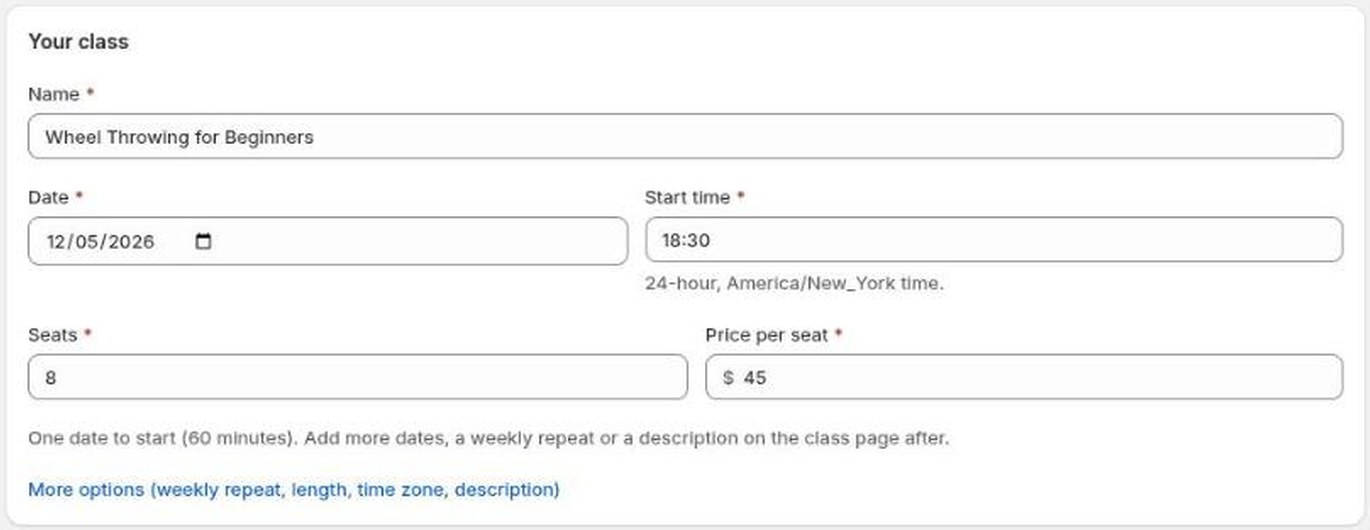
Your first class in a minute
Name, date, time, seats and price. Add weekly dates, more start times or a description whenever you like. Or send us your class list and we'll set it all up for you, free.
- Repeating schedules and one-off dates
- Multi-week courses sold as one booking
- Uses your existing products, photos and prices
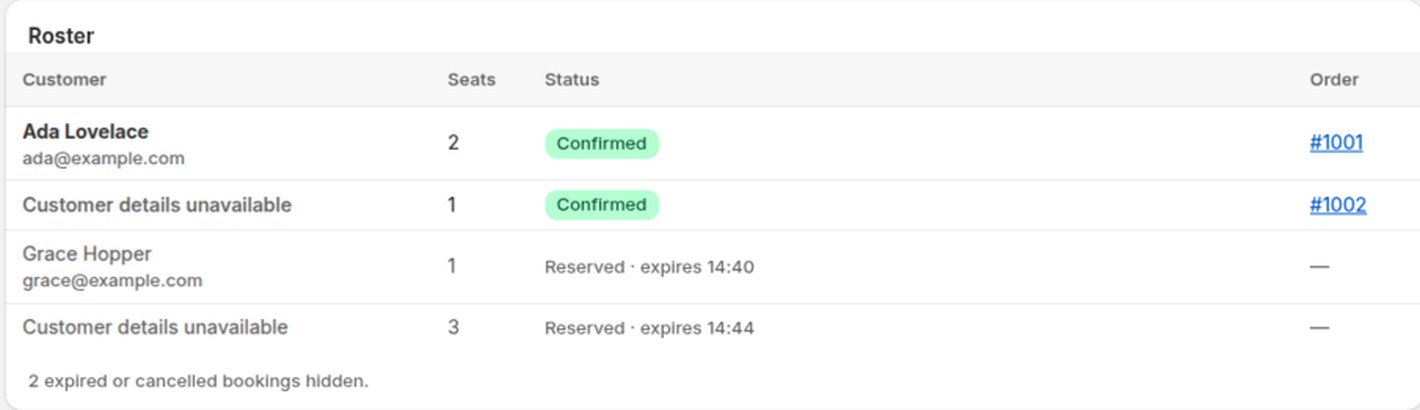
Know who's coming
Every date has its own list of who booked, how many seats and which order. Copy everyone's email, or download a CSV for the sign-in sheet.
- Linked to the Shopify order
- Optional customer tags per class and date, for Shopify Email
- Seats being paid for show as reserved
Every date at a glance
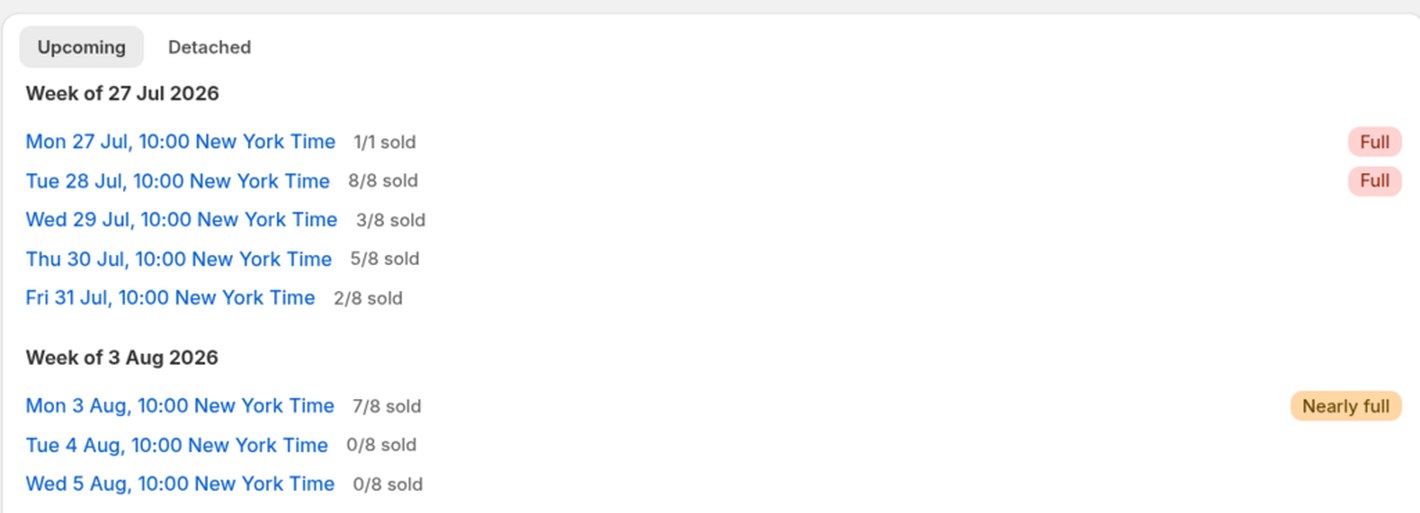
See seats sold for each session week by week, and spot full or nearly full classes before your customers do.
- Full and nearly-full dates marked
- Past dates drop off the booking page on their own
- One calendar for classes and events
Try it on your classes
Install takes a minute. The Free plan covers one class, and we'll set up the rest for you.
Free plan for one class · free setup · 14-day trial on Standard
Seats that can't be oversold
A seat count per session
Set the places once. Each date counts its own seats and stops selling when it's full.
Checked at checkout
A checkout rule refuses a booking for a seat that's already gone, even when two people pay at the same moment.
Seats held while paying
A seat is held for 15 minutes when someone starts to book, then released if they don't pay.
Refunds give seats back
A cancelled or refunded booking frees its seats for the next customer.
Classes and dates
Repeating schedules
Weekly or on chosen days, with up to six start times a day. New dates appear on their own. A new class takes about a minute.
One-off dates
Add a single holiday workshop or an extra evening to any class.
Multi-week courses
Tick “Sold as one course” on a new class, set the weeks and the whole-course price. One place holds a seat every week, and each week shows on the calendar as “week 2 of 6”.
Multi-day sessions
A Friday-to-Sunday retreat shows its start and end, in your store's time zone.
On your store
Inside your theme
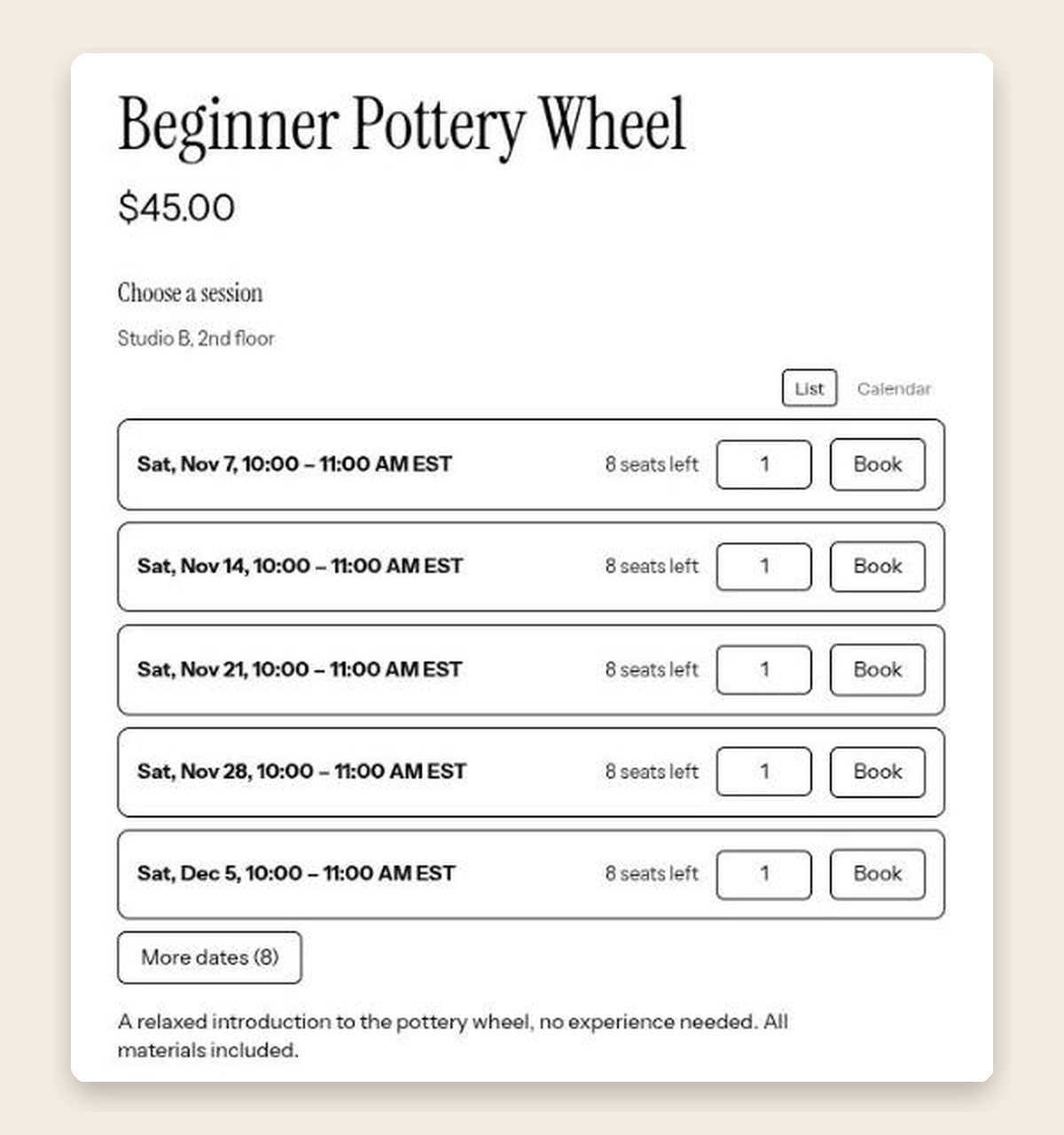
Customers pick a date on the class's product page or on a booking page that looks like the rest of your store. No code.
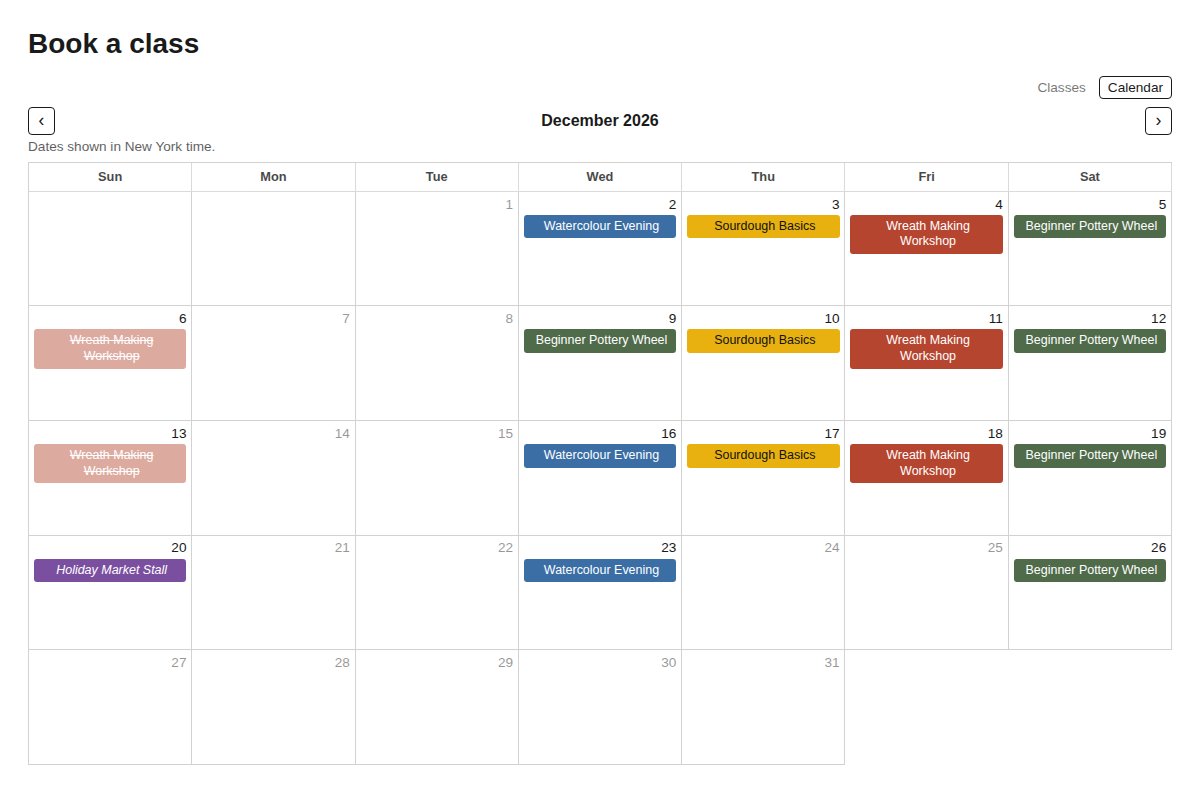
A calendar of all your classes
A month calendar shows every class by name in its own colour. Click one to see the photo, time, price and seats left, then book.
List, calendar or both
Choose how dates are shown. Prices come from Shopify in the customer's currency.
A link for each class
Copy a booking link for one class to use in a menu, a button, an email or a social post.
Private workshops
Requests from your booking page
Turn on “Request a date” and customers ask for a private workshop with their group size, date and a note. You get an email and a list in the app.
Approve with its own link
Approving creates a private booking with its own link. The group books and pays through your normal checkout; it never shows on your public pages.
Bookings made by phone
Add a private booking yourself for a hen party or a team day agreed by phone or in person.
No double-booked studio
Public classes at the same time stop selling, and the calendar shows a grey “Studio booked” with the time only, never the client's name.
Cancel cleanly
Cancelling links each paid order to its refund in Shopify, then puts the public classes back on sale.
Events on the same calendar
Markets, fairs and private events
Add things that aren't classes. Show the details only, or link to a product or a page.
Google Calendar import
Paste your calendar's address and events are copied over every three hours.
Free sign-ups
Let people sign up for a free event with their name, email and party size, with a place limit.
After the booking
Shopify checkout and orders
Customers pay through your normal Shopify checkout. Bookings land in your orders like any other sale.
Guest list for each date
See who's coming to each session, copy everyone's email or download a CSV.
Customer tags per session
Optionally tag each customer with the class and date, so you can email that group from Shopify Email.
Your classes in Google Calendar
Add one private link to Google, Apple or Outlook calendar and see every class and course week with seats booked. It refreshes every few hours and carries no customer names.
Looks after itself
Setup check
The app home checks your store and tells you what's missing before customers can book.
Warns when a class breaks
If a class's product or option is deleted or changed in Shopify admin, the app shows it and lets you re-link it in one click.
Safe on the storefront
A class that can't be bought shows a short note instead of a Book button that would fail.
Plans
Every feature above is in both plans. Setup is free on both.
One class with its sessions, and up to five calendar events.
Unlimited classes, sessions and events. 14-day free trial.
You teach. We set it up.
Send us your class list and we'll build your classes and booking page for free. You check everything before it goes live.