Festive workshops sell out. Make sure they don't oversell.
November and December are when people book a wreath class, a pottery night or a gift-making workshop, for themselves or as a present. You teach. We set up your classes in Trenoxa Bookings for free, so every session has a real seat count and customers book and pay through your Shopify checkout.
Free plan for one class · free setup · 14-day trial on Standard · Try the live demo
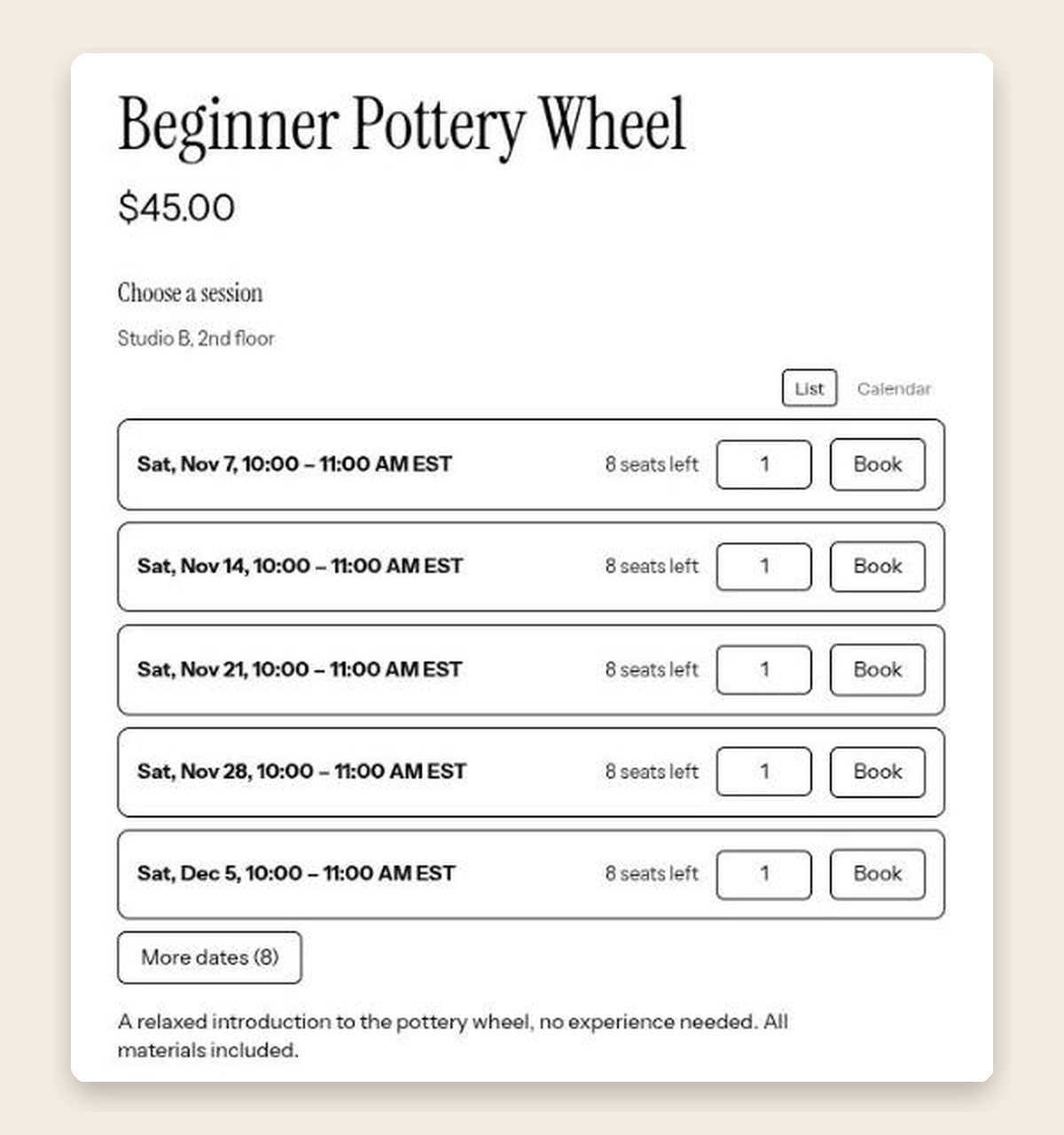
See it in a minute
Want every feature? Watch the 2-minute full tour. Comparing apps? See what each booking app would cost for your classes or read Shopify booking apps compared.
Selling classes as ordinary products is fragile
Most Shopify stores sell a class the only way Shopify allows: one product per date, or the dates as product options. It works until the busy weeks:
- Two people buy the last seat. Unless stock is set on every date by hand, Shopify keeps selling.
- Every new date is a new listing. You copy products, rename options and clean up the old ones once they've passed.
- Who's coming? The guest list lives in orders, spreadsheets and your inbox, not in one place per session.
Booking apps built for appointments (one person, one time slot) don't fit group classes either: no shared seat count, and checkout often moves off your store.
A seat count for every date
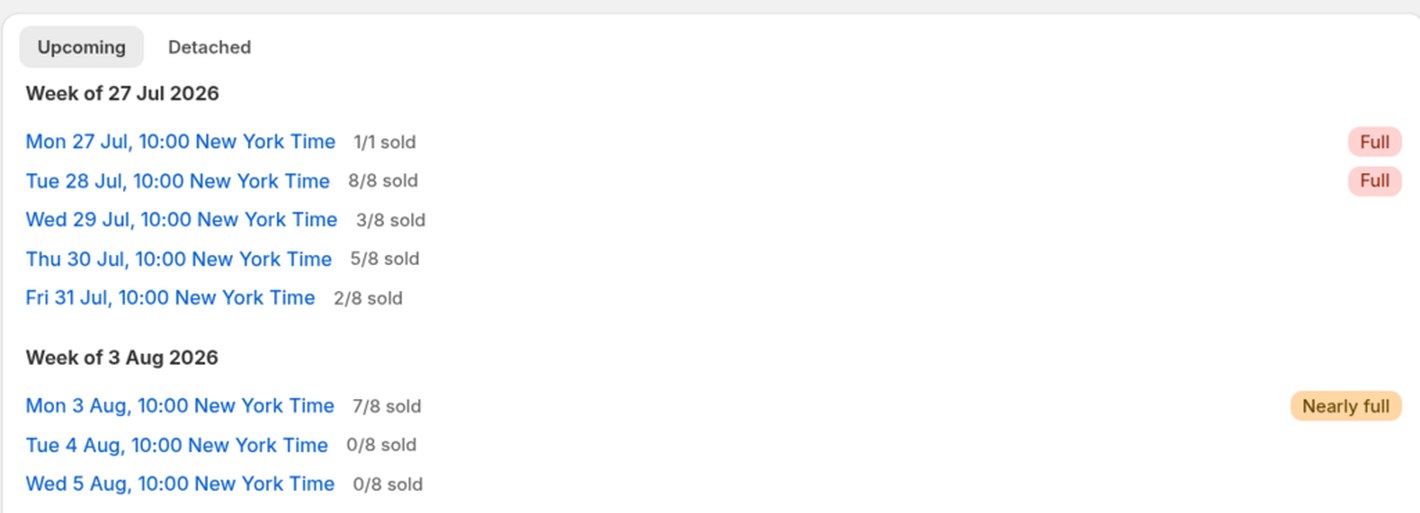
Set the places once. Each date counts its own seats, checkout stops when it's full, and the last seat can't be sold twice.
- Full and nearly-full dates marked for you
- Refunds and cancellations put seats back on sale
- Past dates drop off on their own
All your classes on one calendar
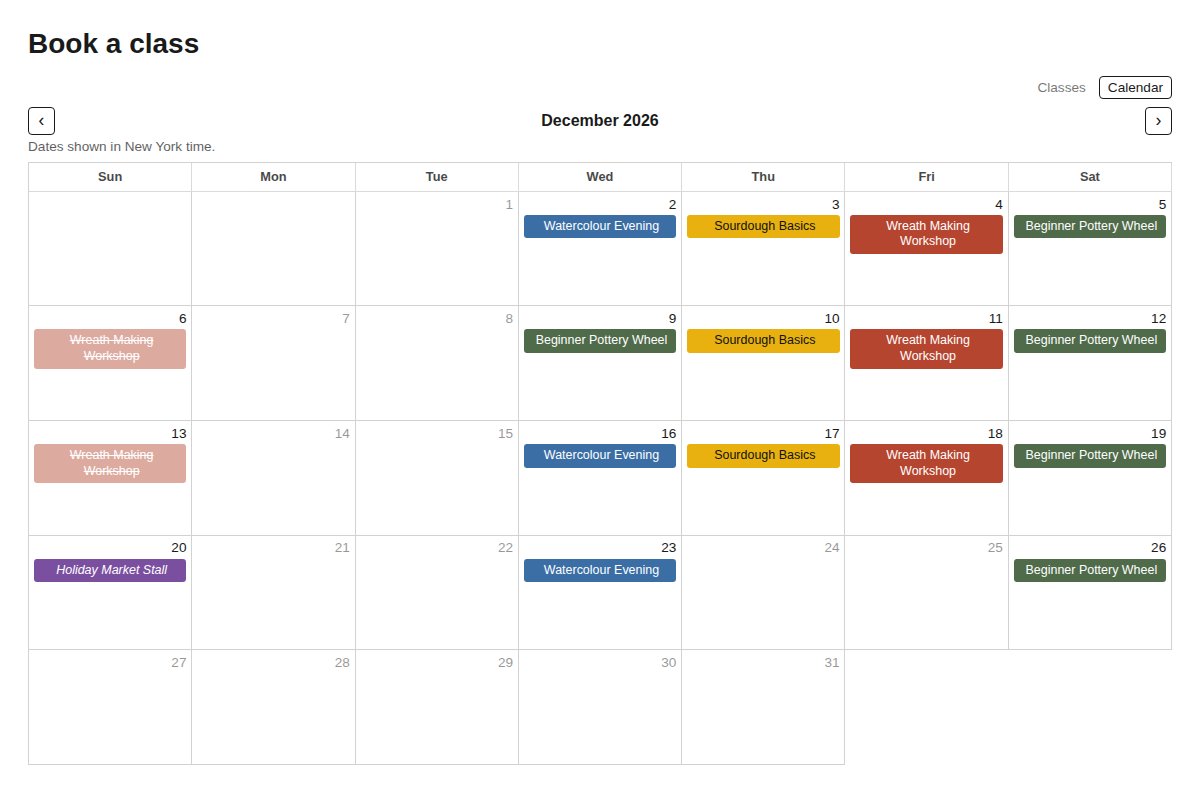
A month calendar in your theme shows every class in its own colour. Customers click a date, see the seats left and book through your normal Shopify checkout.
- Or a date list on each class's product page
- Markets and events on the same calendar
- No code, no theme edits
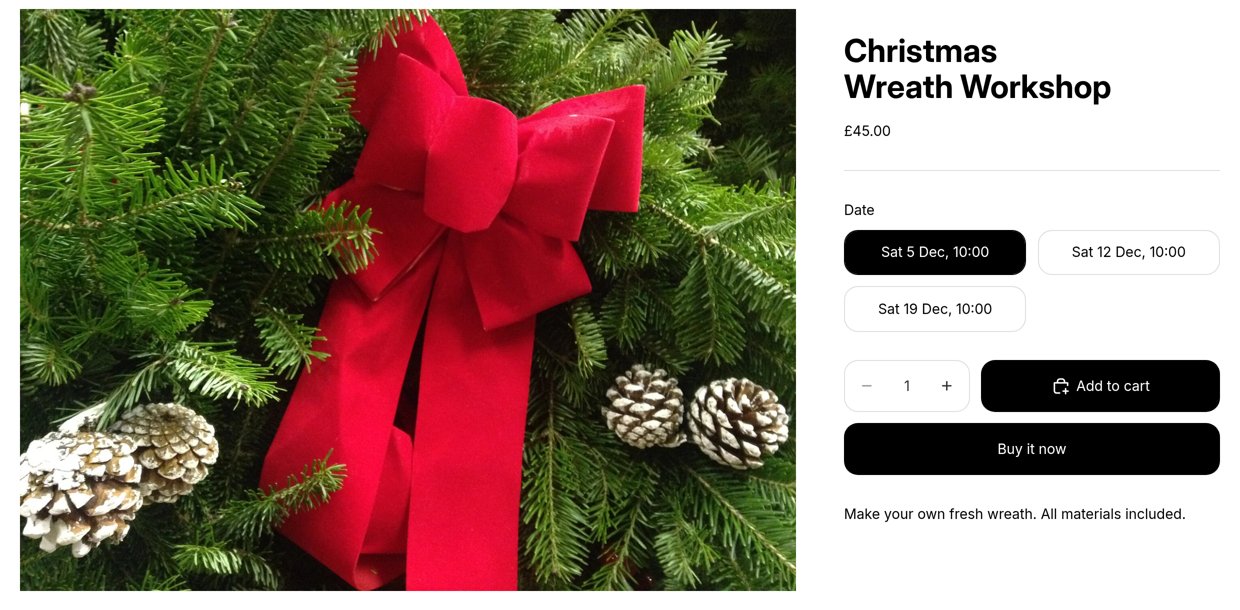
Know who's coming
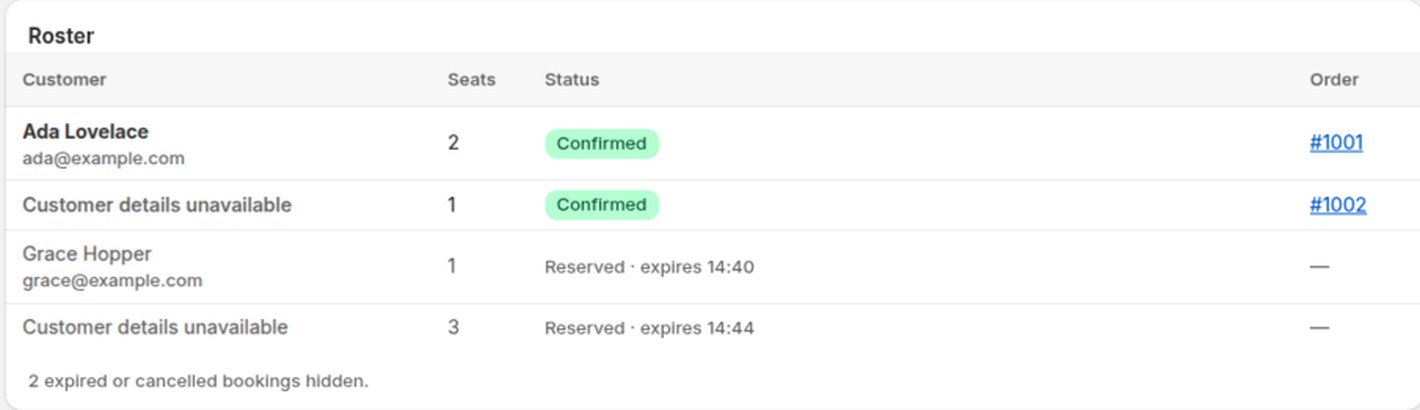
Every date has its own guest list with seats and order numbers. Copy the emails or download a CSV for the sign-in sheet.
- Bookings land in your Shopify orders
- Optional customer tags per class and date
Try it on your classes
Install takes a minute. The Free plan covers one class, and we'll set up the rest for you.
Free plan for one class · free setup · 14-day trial on Standard
Made for hobby classes and workshops
If you teach it in a room with a set number of places, it fits:
Class types
How Trenoxa Bookings fits your kind of class, with examples:
Pottery classes
Beginner wheel taster, Saturdays 10:00, 6 places
Painting and sip-and-paint
Sip and paint, Fridays 19:00, 16 easels
Cooking and baking classes
Weekend sourdough, Saturdays 09:00, 8 stations
Craft workshops
Beaded earrings, Dec 3, 18:00, 10 places
Mahjong open play and lessons
Open play, Tuesdays 18:30, 16 seats (4 tables)
You teach. We set it up.
Setting up classes is the part that takes time, so we do it for you, free.
- Install Trenoxa Bookings from the Shopify App Store. The Free plan covers one class.
- Send us your class list: names, dates, times and how many seats. A link to your current listings is enough.
- We build your classes and sessions and turn on the booking page in your theme. You check everything before it goes live.
One class, with its sessions. Free setup included.
Unlimited classes and sessions. Free setup included.
Questions
I already sell my classes as products. Do I start over? No. We create the classes from your current listings and you keep your products, photos and prices.
What does "free setup" need from me? Staff access to your Shopify admin (you choose the permissions) and your class list. We remove our access when you're happy.
Does it work with my theme? It runs inside Online Store 2.0 themes such as Dawn, Horizon and Dwell, and we check yours during setup.
More detail: How to sell classes and workshops on Shopify without overbooking.
Support
Email support@trenoxahq.com with your shop domain. Replies within one business day (IST).
Privacy
The app's privacy policy, including what store and customer data it processes and how to request deletion, is at trenoxahq.com/apps/trenoxa-bookings/privacy/.
Guides for stores that sell classes and workshops
Best Shopify booking apps for classes and workshops (2026)
Class apps vs appointment apps vs ticketing: fifteen Shopify booking apps compared on free plans, prices, booking caps and what they're built for.
Read the guide →How to sell needlepoint classes on Shopify (and what to charge)
Beginner classes at $25 to $110, finishing classes at $150 to $180: real prices from 10 needlepoint shops, and how to sell weekly classes and courses on Shopify.
Read the guide →How to email your class students on Shopify: date notes and new-class announcements
Tag or list each date's students for practical notes, and use a Shopify segment of past buyers for new-class announcements. With segment code and example emails.
Read the guide →How to sell mahjong lessons on Shopify (and what to charge)
Mahjong 101 at $60 to $75, open play at $15 to $25 a seat, leagues about $100: real prices from 14 teachers, and how to sell lessons, open play and leagues on Shopify.
Read the guide →Does Shopify have a booking system? Which kind of booking app you need
No. What Shopify can do on its own, and which kind of booking app fits appointments, classes, events or rentals.
Read the guide →Shopify events calendar and event registration: paid and free events
An events calendar on your store, paid places through checkout and free RSVPs with a place limit.
Read the guide →ClassBento vs Eventbrite vs your own Shopify store for classes (2026)
Fees, discovery, payouts and add-ons compared, with what one $50 class costs on each, and when to use a marketplace, a ticketing site or your own store.
Read the guide →Workshop calendar 2027: dates and class ideas for every month
Every 2027 date worth a workshop, with ideas for each month and a simple 8-week planning rhythm.
Read the guide →How to run and sell a Christmas wreath workshop on Shopify
Group size, timing, materials, pricing, the listing, selling dates on Shopify and filling the room, plus eight other festive workshops that work the same way.
Read the guide →Demo: a Christmas wreath workshop set up in Trenoxa Bookings
Every step on a test store, with screenshots: five fields, one save, more dates, your theme and a test booking.
Read the guide →Eventbrite or Shopify for your workshops?
Fees per ticket, who owns the buyer, materials in the same order, QR check-in: when Eventbrite is the better fit and when your own Shopify store is.
Read the guide →From a paper sign-up sheet to online class bookings: what changes
Seats, payment and sharing: what changes when bookings move from a notebook, DMs and pay-on-the-day to an online booking link on Shopify.
Read the guide →Can you sell event tickets on Shopify? Classes, workshops and small events
Shopify has no booking system. A product per event, dates as variants, a class booking app or a ticketing app: which fits your first workshop or event.
Read the guide →How to sell classes and workshops on Shopify without overbooking
A product per date, dates as options or a booking app: what goes wrong with each before the festive rush, and how to get a real seat count per session.
Read the guide →